Quick Facts
Client: Handicaps Welfare Association (HWA)
Platform: Desktop & Mobile Website
Duration: 10 Days (Jan 2023)
Team Size: 4 pax
#SocialService
#WebDesign
#ContentStrategy
Project Overview
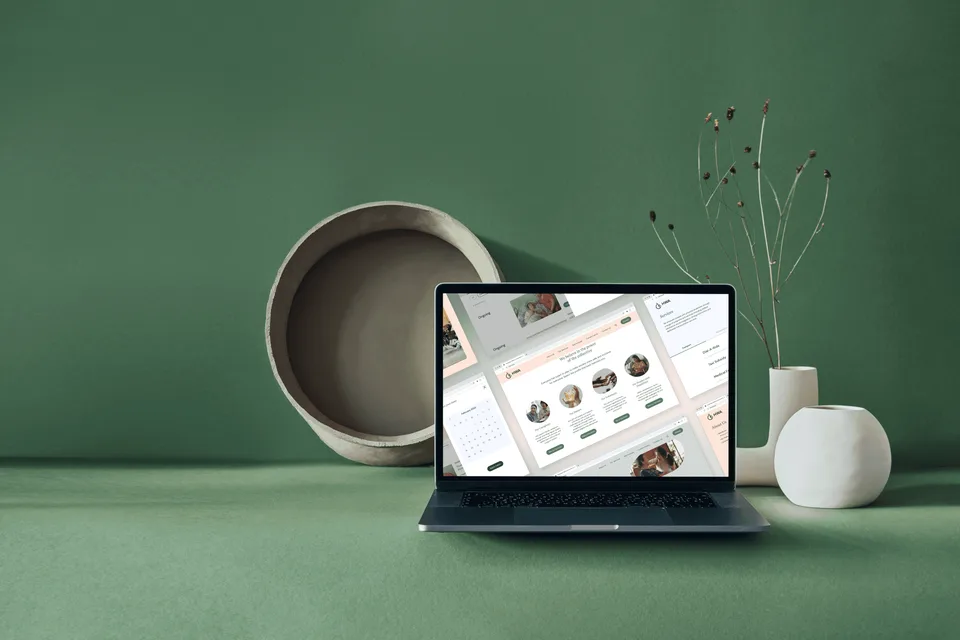
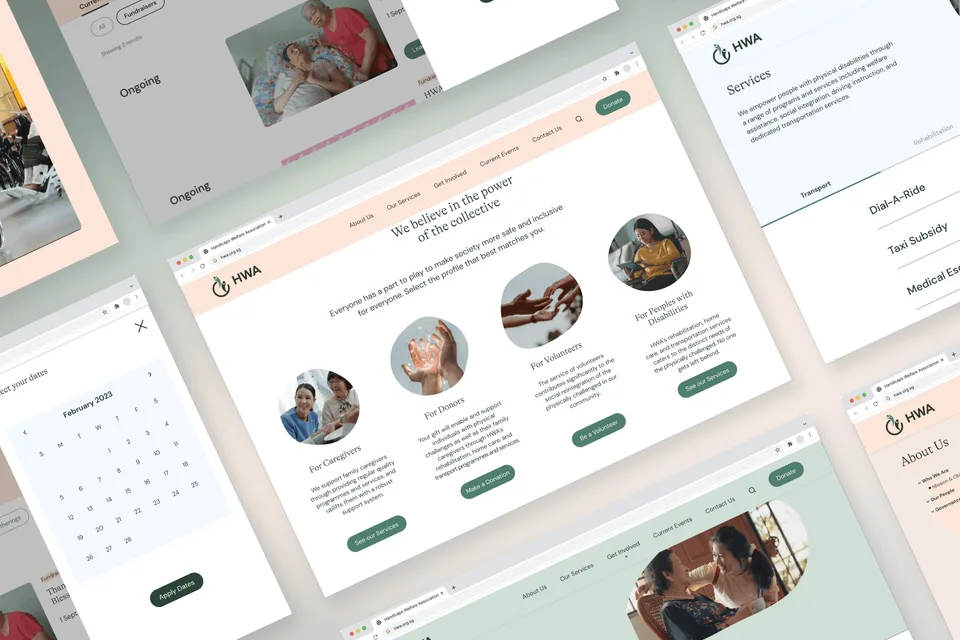
In a team of four, we redesigned a website based on user research, proposing a new IA to facilitate user tasks. Our aim was to achieve an aesthetically pleasing design layout and optimised user flows for usability. We developed a content strategy through a content audit and collaborated with web developers to launch the site.
More Info:
What is HWA?
The Handicaps Welfare Association (HWA) is a non-profit organisation that aims to improve the lives of people with disabilities in Singapore. The current website is outdated, difficult to navigate and not accessible to people with disabilities. The goal of this project is to create a mobile-responsive and accessible website that will serve the needs of its users, particularly those with disabilities.
What are the Objectives?
- Improve the user experience by creating a clear and intuitive navigation structure. - Provide clear and concise information about HWA's services and how to access them. - Create a visually appealing website that conveys HWA's brand identity - Include resources and support for caregivers, such as information about respite care and support groups. - Encourage users to get involved with HWA through donations, volunteering, or spreading the word about their services.
VIEW PROTOTYPE
What are the Existing Challenges?
Current Website
From our user research, we identified issues users faced on the existing website.
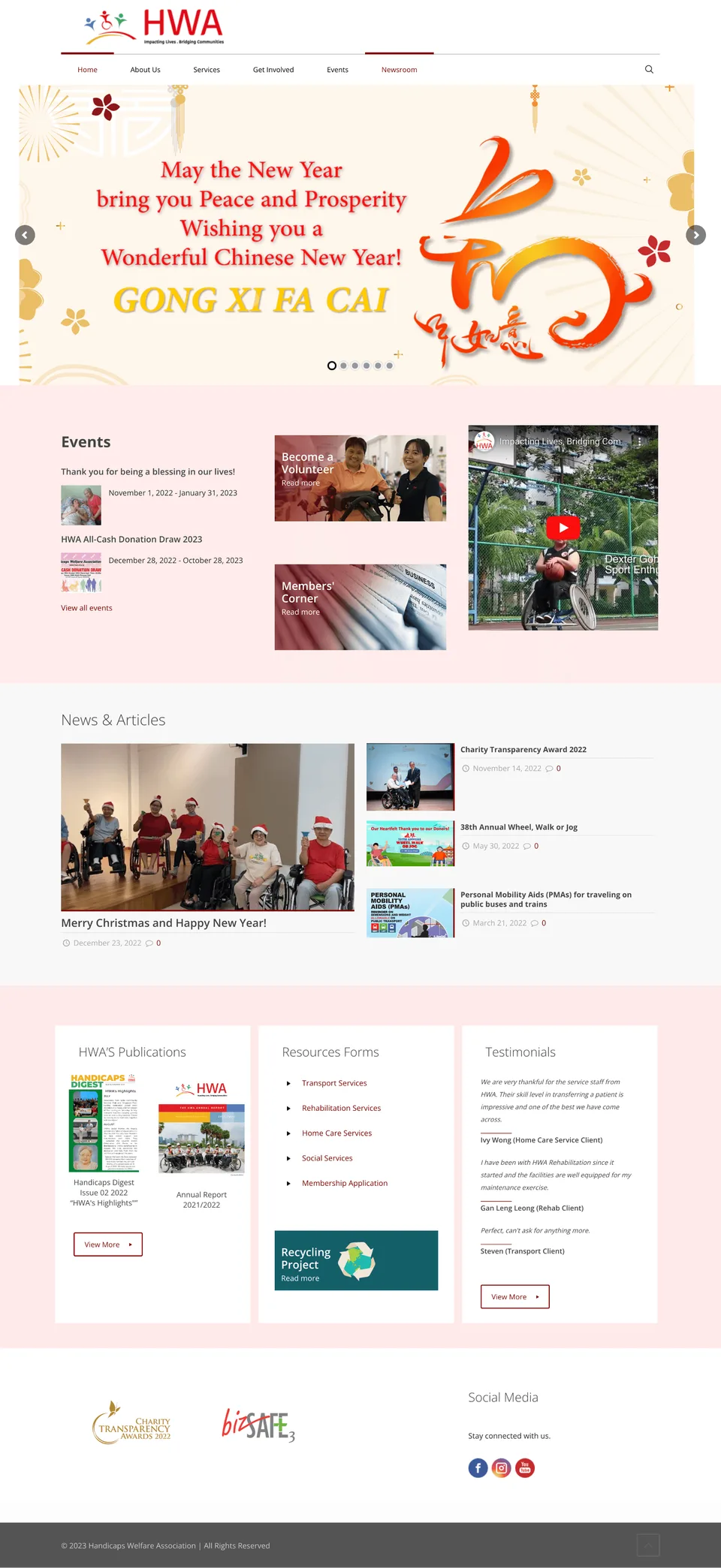
Current Home Page
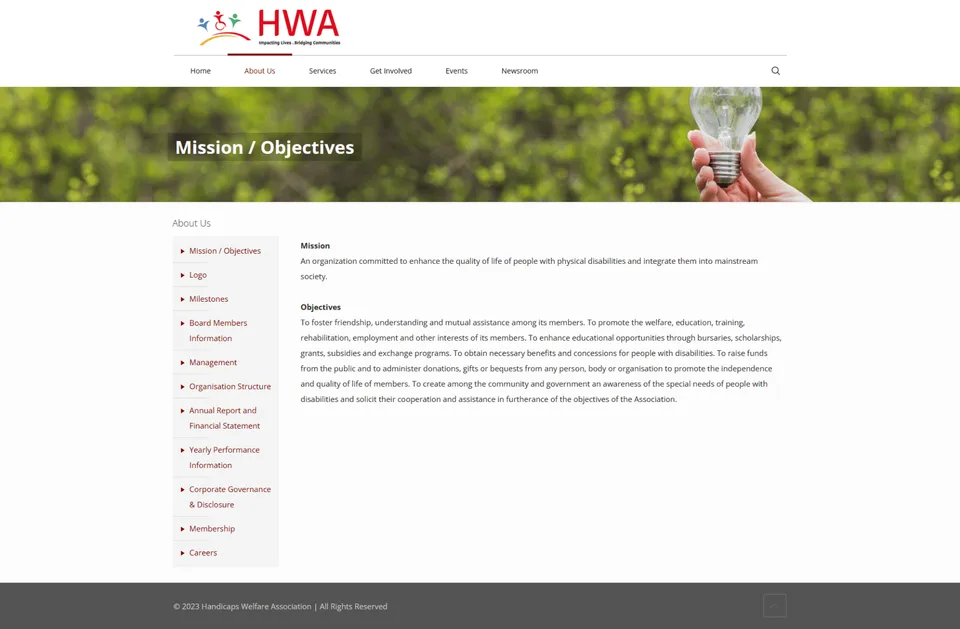
Mission/Objectives Page
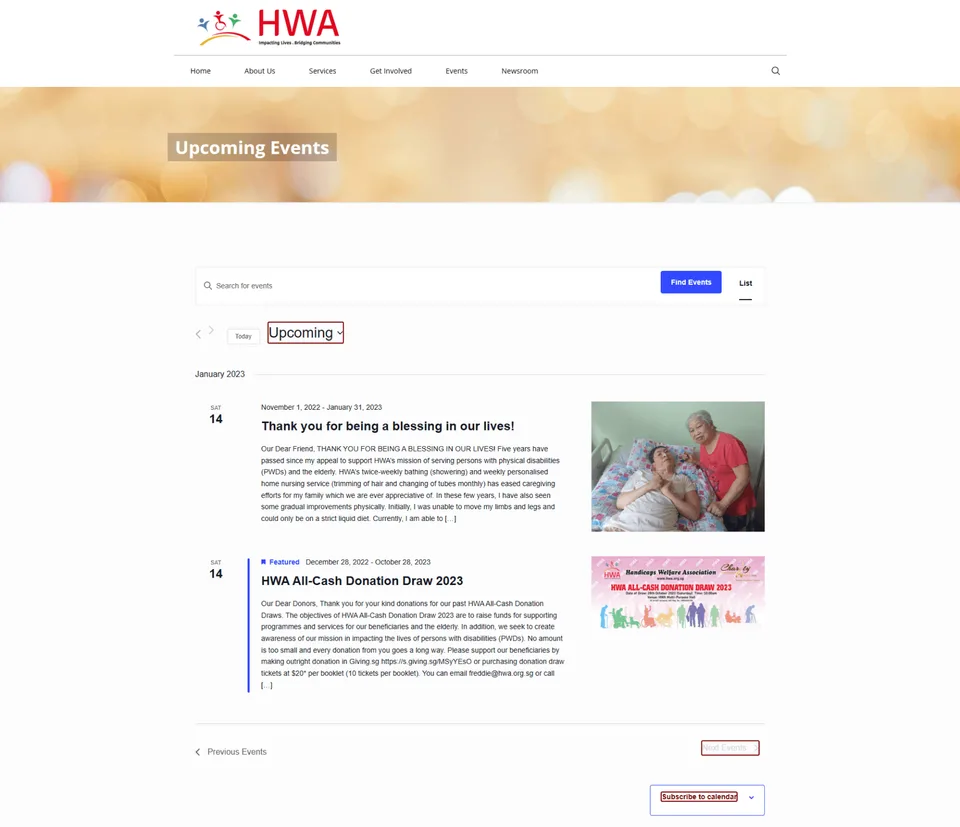
Current Events Page
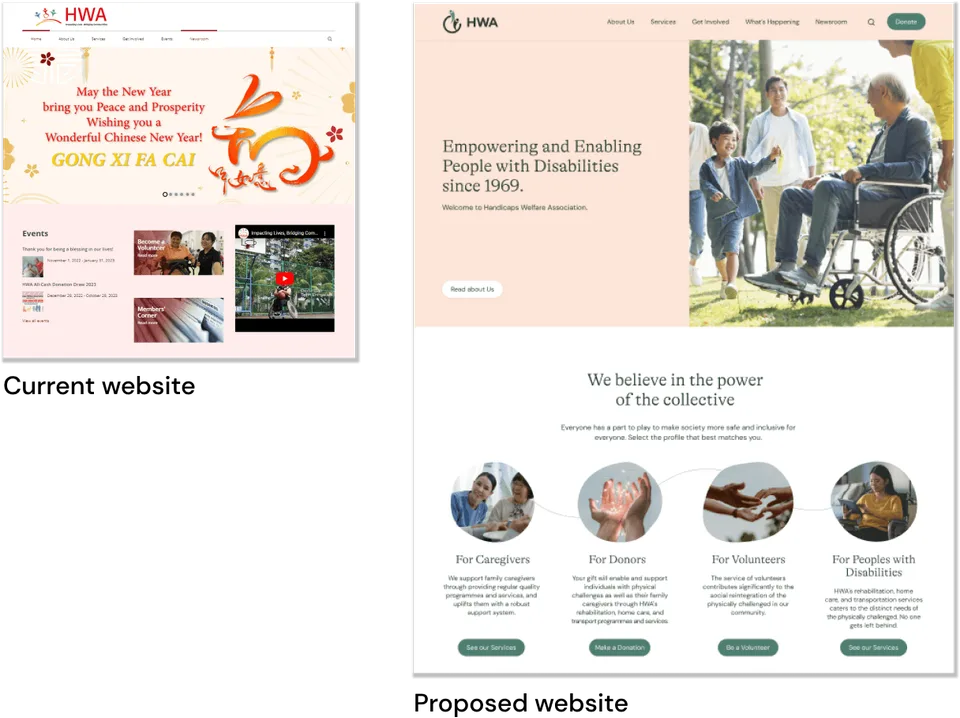
Home page lacks clear call-to-action.
Home page doesn't communicate who is HWA as a brand.
No hierarchy of information and wall of text is overwhelming.
Mission page is a wall of text with corporate speak.
Events are uncategorised and dates are confusing.
Events is a key channel for social engagement and donations.
Information Architecture (IA)
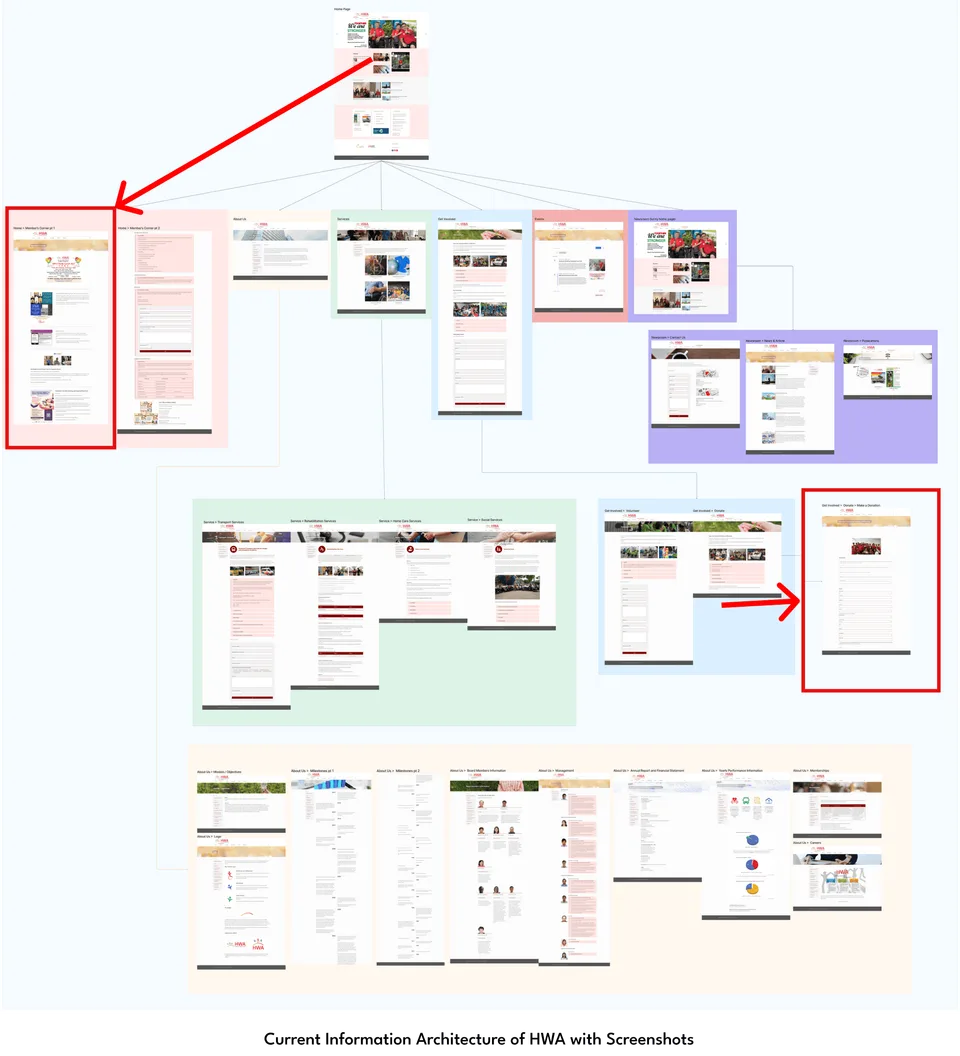
The current organisational structure can be better optimised by categorising some of the pages as well as moving ‘Contact Us’ to under ‘About Us’.
The most problematic part of the sitemap was the ‘About Us’ section, which consisted of too many subpages, making it hard for the user to read through.
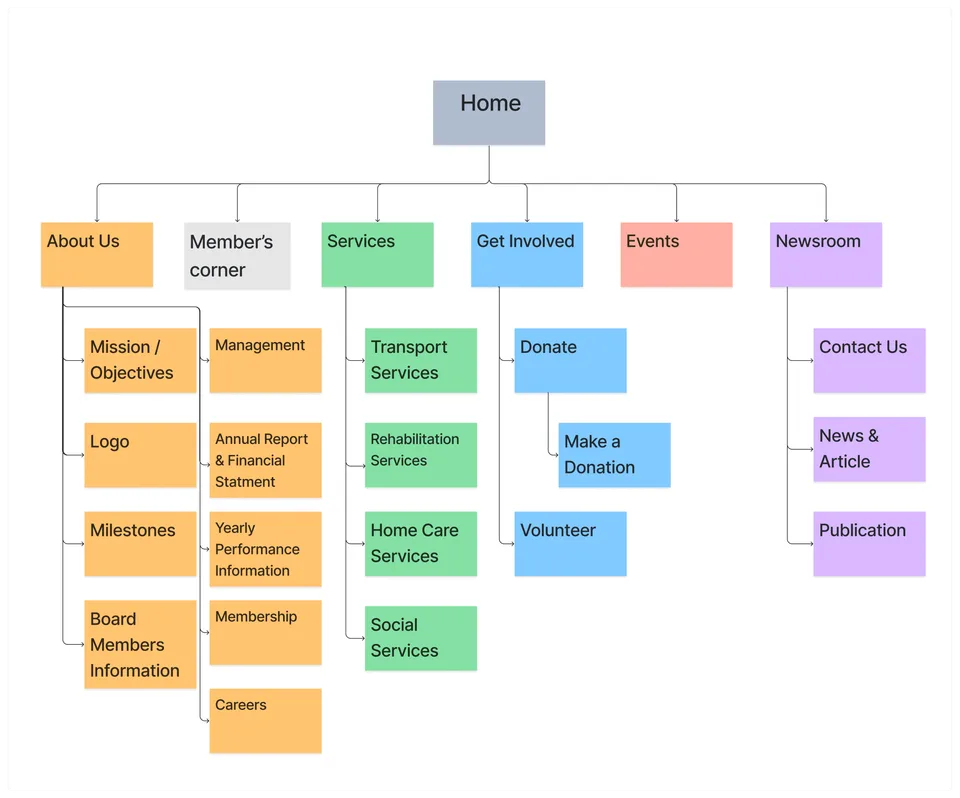
Current Information Architecture of HWA
More Info:
Addressing Hidden Pages
The website contains important pages that are vital for visitors, but they were previously difficult to locate. For example, the Member's Corner, which includes information on all upcoming events and workshops for members, was not easily accessible. The button to access the Member's Corner was not located near the membership or event page, and could only be found on the homepage in an obscure and arbitrary location. Additionally, the Online Donation feature was hidden and required several clicks to access from the homepage. This important call-to-action button should be prominently placed in the navigation bar for easy access.
Key Contribution
As team, I took the intiative and conducted an investigation of the initial site. I extracted relevant information and captured it in the form of screenshots. (shown before) After organizing the screenshots, I identified potential areas for improvement, which could be further developed to enhance the overall performance of the site.
Our Findings & Problem
Research Insights
We conducted 1 stakeholder, 16 user interviews, 1 fundraiser interview and 1 site visits.
These are our top 5 key insights:
"I want to be able to find what I need quickly on the website."
"I want to feel connected to the cause before I get involved."
"I expect financial transparency from a non-profit organisation."
"I don’t know if clients got improvement after undergoing their services."
"I use the website to fact-check and compare prices of services."
Additional Info:
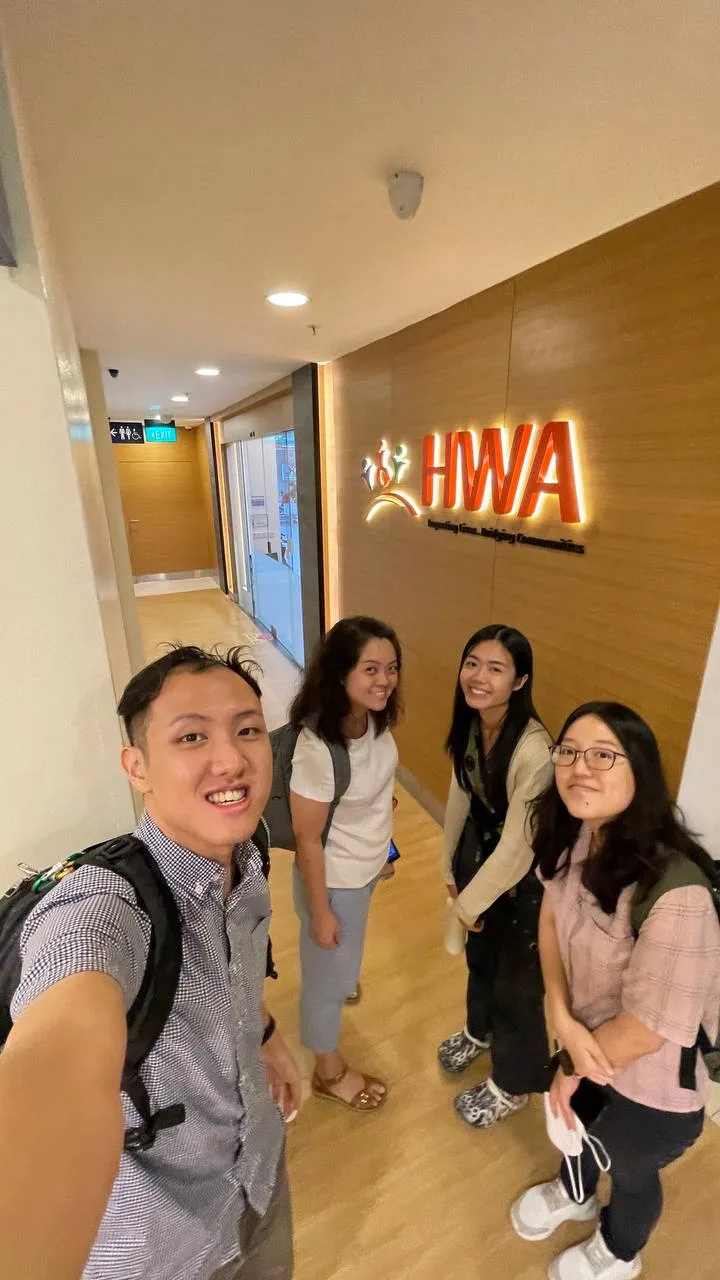
HWA Site Visit @ Jurong
We made a site visit to the facility in Jurong Point, and spoke to stakeholder in contact and the therapists. It gave valuable insight as to the rehab services, and a better idea of the types of clients they work with.
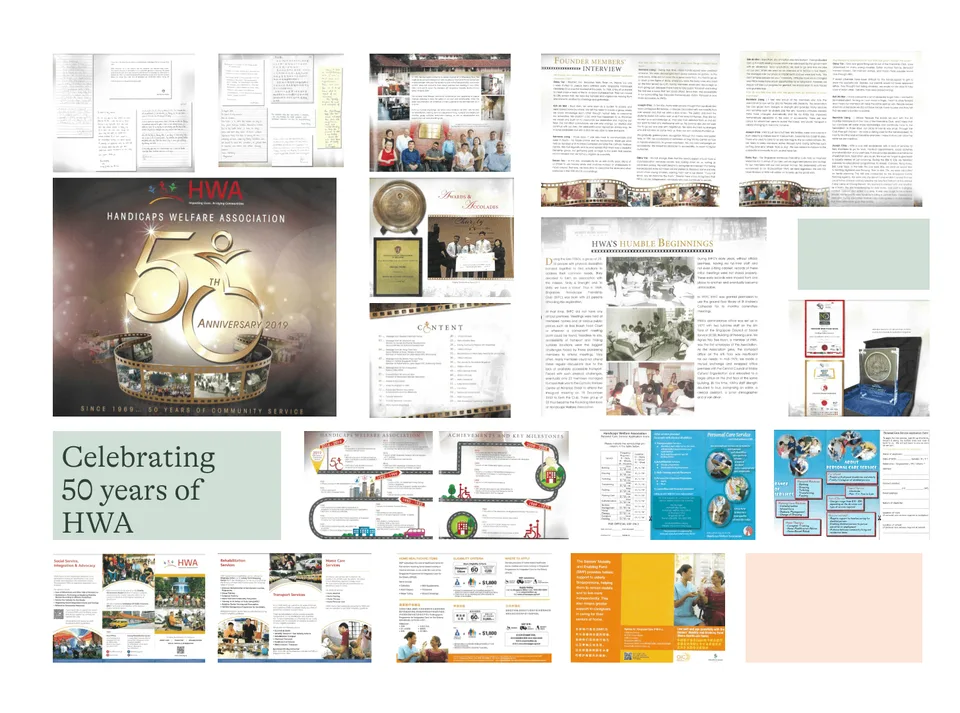
HWA 50th Anniversary Booklet
There are scans of their 50th Anniversary Booklet that provided their awards, testimonials which in particular are heart-warming and encouraging and could be shared online.
Problem Statement

Donors:
How might we provide clear and transparent information about the organisation's mission and plans that will enable potential donors to contribute confidently?

Caregivers:
How might we create an intuitive and accessible platform that allows visitors to easily find information on services and subsidies?
What do we Proposed?
Proposed IA
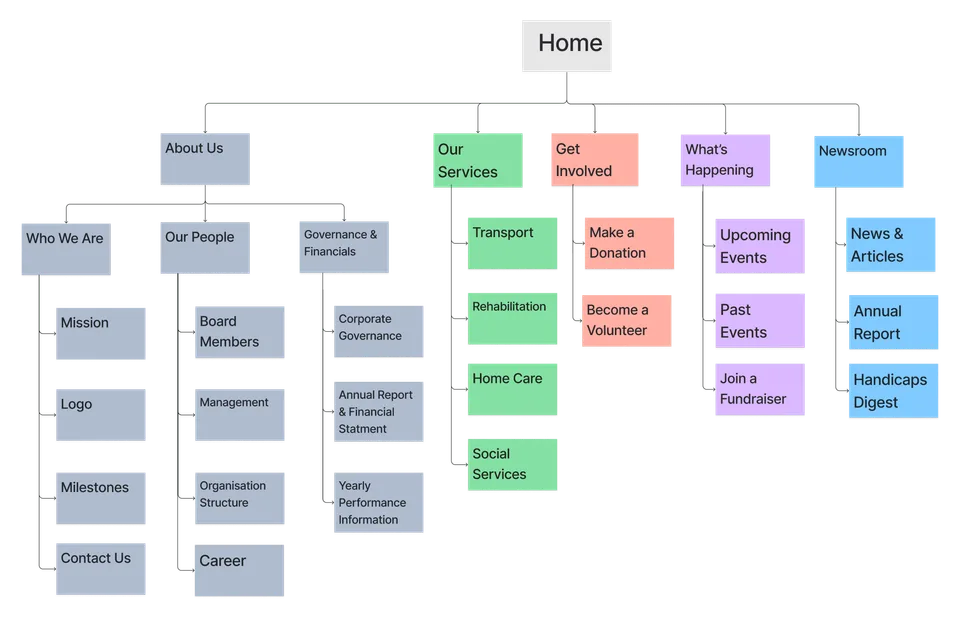
Proposed Information Architecture
Key Changes:
The "About Us" page was further categorised to make it easier for users to find the information they need quickly.
We moved the "Contact Us" page and regrouped it under "Who We Are" for easier access.
We reviewed the current "Events" page to better categorise the information, making it more intuitive and understandable for users.
Content Inventory
We conduct Content Audit using the NN Group template.
More Info:
Current
Since we don’t have access to content inventory, we had to start from scratch. We simplified the process by removing the columns for author, owner, or source as this information was not available. After that, we recorded the name, URL, subject, and intended primary users of each page.
As part of a competitive and comparative analysis, we reviewed other websites and discussed ways to improve specific pages and their content. Our suggestions and comments are documented in the rightmost column of the picture.
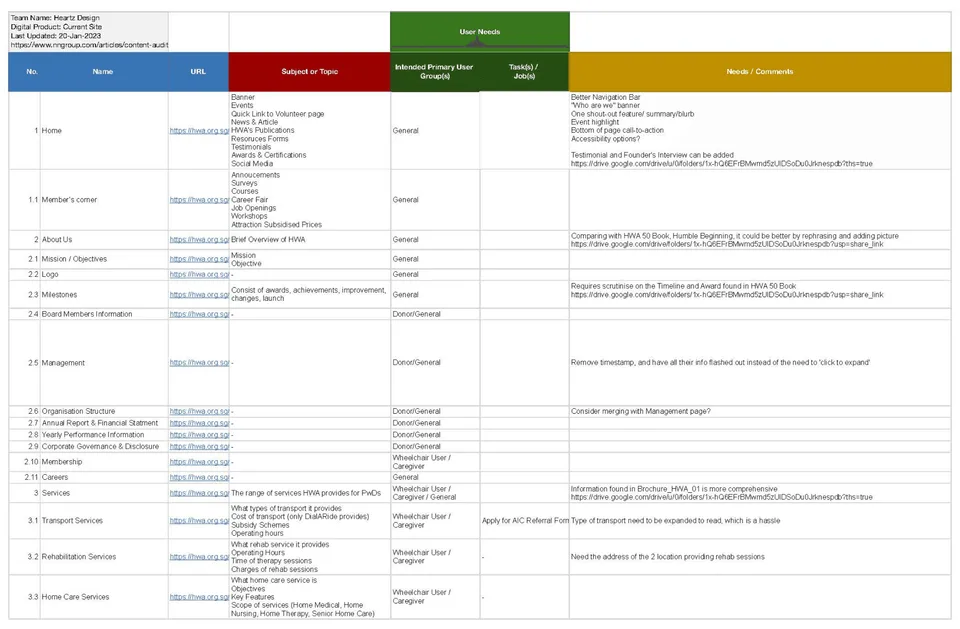
Proposed
After creating the recommended content inventory and factoring in our business goals, we made adjustments based on our personas' needs and goals. We recorded these changes in the rightmost column of the picture.
We highlighted the boxes representing pages that the team will focus more on improving, as these are crucial for serving our primary and secondary personas (Donors and Caregivers).
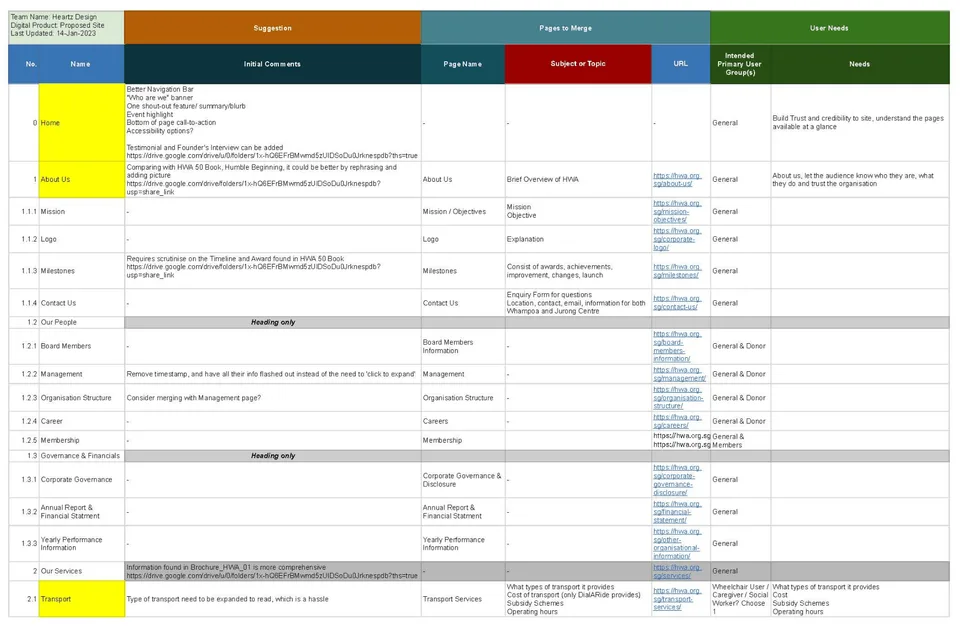
Key Contribution
I reviewed their initial website, analyzing the content of each page and identifying the objectives they aimed to communicate. I organized my findings in an Excel spreadsheet and developed a strategy to streamline the information by merging pages and creating a more concise flow for the content presentation.
Content Strategy
After creating the current and proposed content inventory, we evaluated how to use the existing content to meet both business and user needs.
For Content Design (Editorial and Experience), we set the tone, messaging, and layout to make the site more pleasant and intuitive while considering cognitive load. Ultimately, the goal is to effectively communicate the organization's credibility and mission.
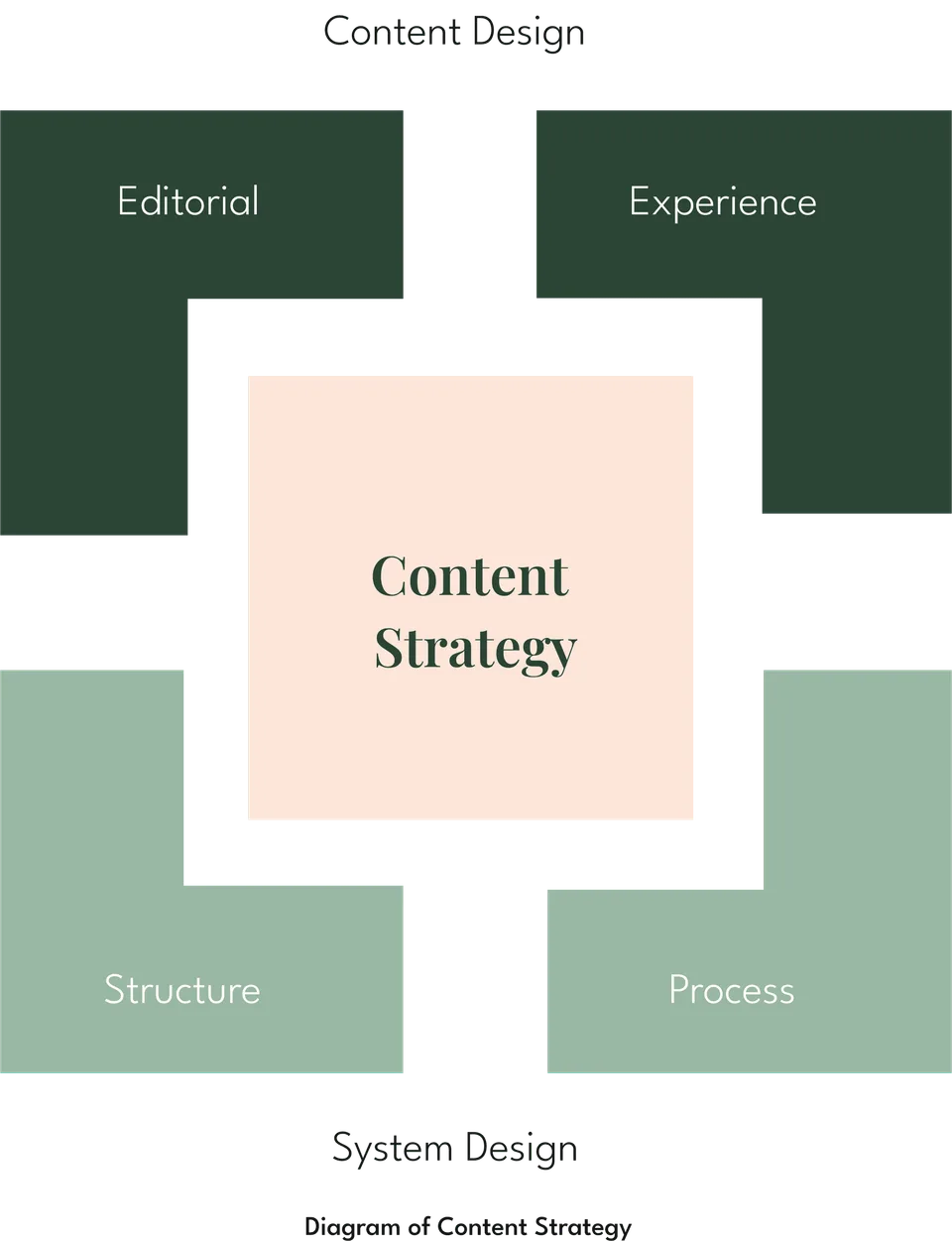
For System Design (Structure and Process), by organising the current site pages to fit into the proposed IA, we aim to improve the checkout process for donations. Visitors should be able to find information easily while navigating the site.
Solutions
1) Ease of finding and filtering information:
Quick links on home page with clear Call-To-Action (CTA)
Allow users to have control over the content through accordions and filters
Before
Current Home Page
After
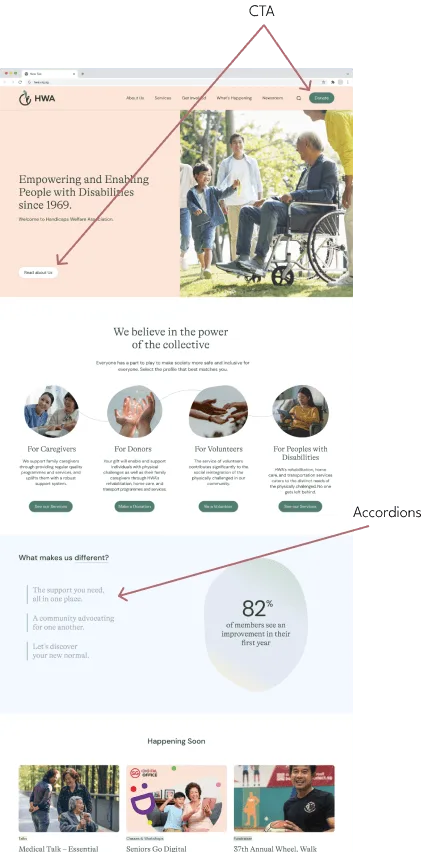
Redesigned Home page
2) Inspire trust and confidence:
Use the home page to build credibility (statistics, legacy)
Use about us page to create impact (mission statement, video of members)
Before
Current About Page
After
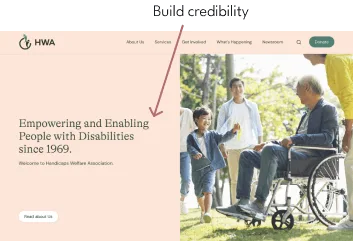
Redesigned Home Page (Top portion)
After
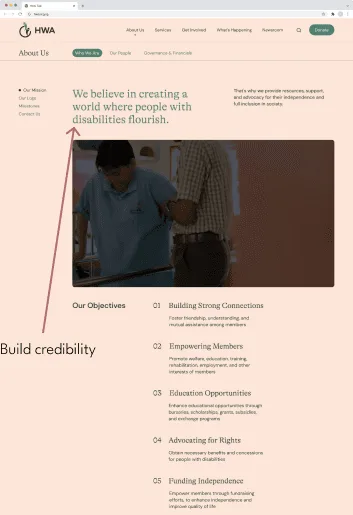
Redesigned About Us Page
3) Highlight the community spirit
Demonstrate HWA's active, inclusive community through showcasing events.
Before
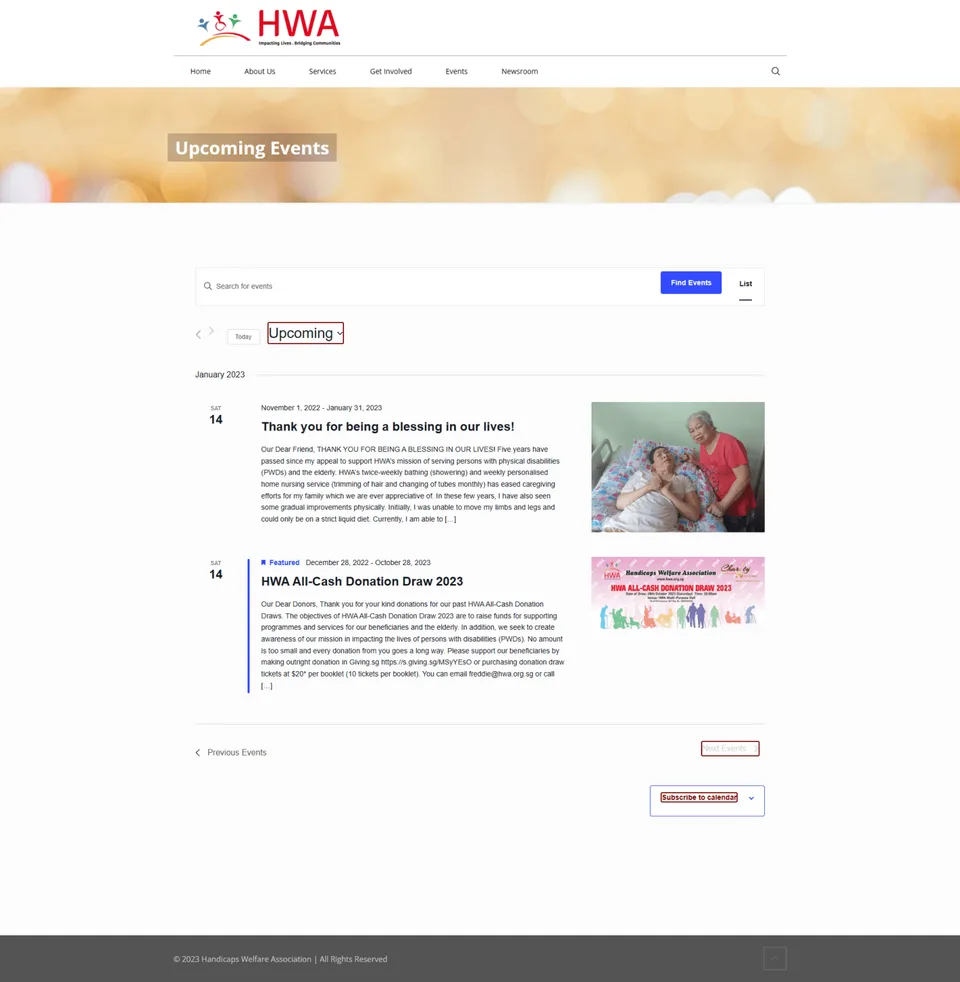
Current Event Page
After
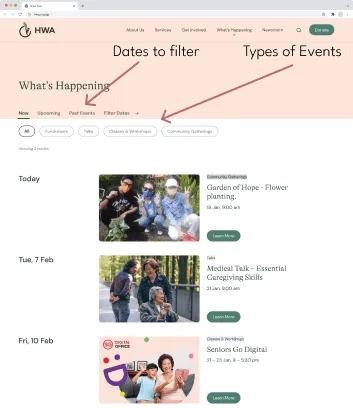
Redesigned Event page
Prototype Development
High Fidelity Prototype
Using Figma, we created an interactive prototype that will be used to showcase our proposed design.
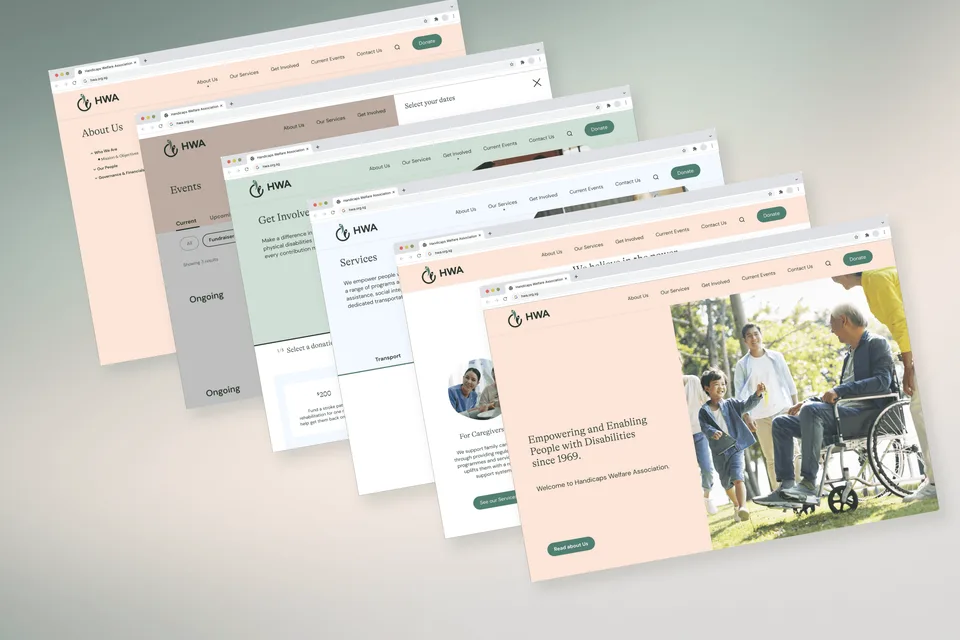
Key Screens
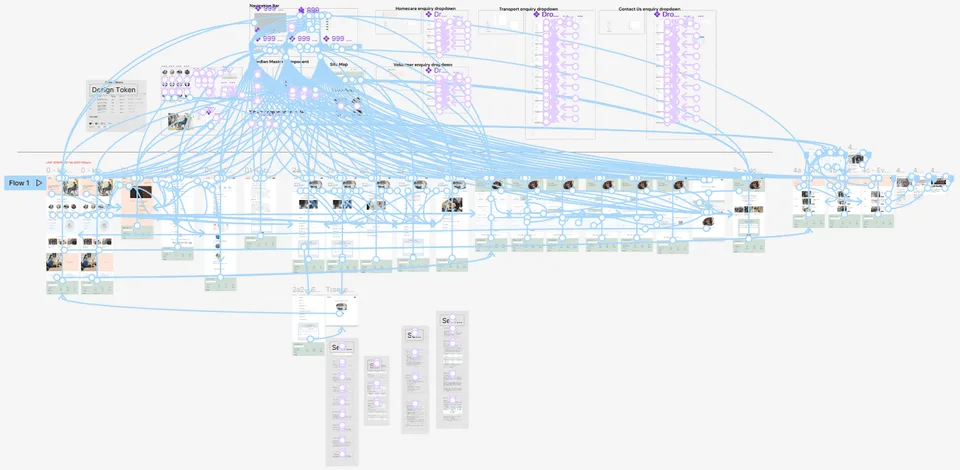
Figma Interactive Prototype
VIEW PROTOTYPE
More Info:
Key Contribution
As a team, we worked together to prototype. But my contribution was to link components, ensure design hygiene, troubleshoot animation, maintain consistency, and propose creative presentation methods.
Mobile Design
(above) Phone Mockups
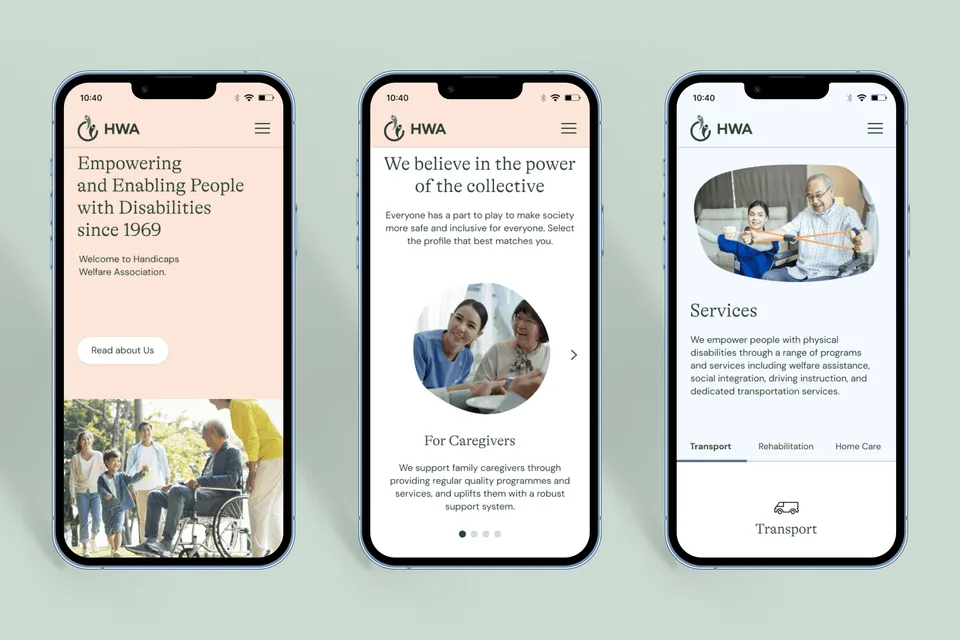
We also designed the mobile website to provide a visual representation of its functionality and user experience.
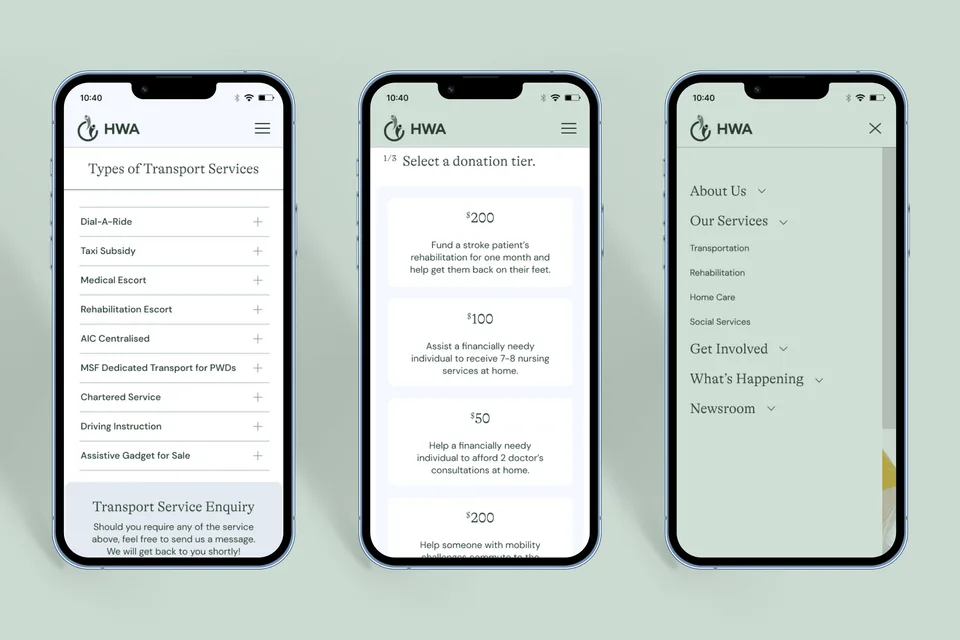
Usability Testing
We conducted multiple iterations of formal user testing using clear and quantifiable metrics for the two versions leading up to the final presented prototype.
The questions were mostly focused on key functions and critical points in the user flow, aimed at addressing identified pain points
Key Findings:
Aesthetic
66.6% of the users enjoy the look of the site, and say that it portrays professionalism and warmth.
They also shared that they feel more inclined to participate in events or make a donation.
Recommendations: To continue to keep a more personable and warm aesthetic and tone to the website.
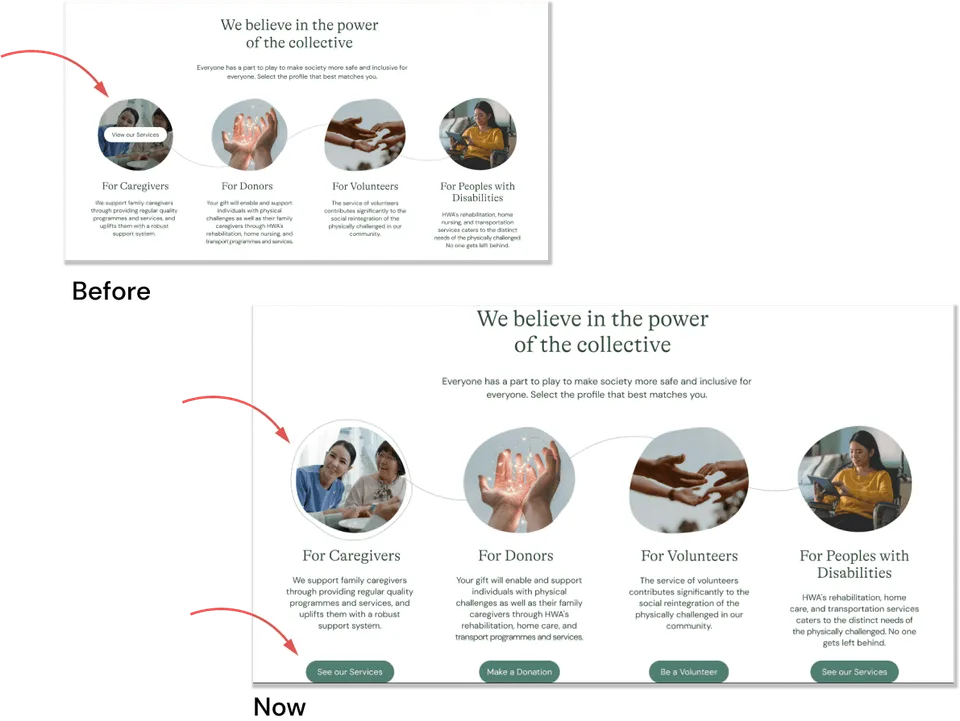
Quick Links
Quick links have a hover effect to show that these are clickable. 100% of the. users did not immediately realise they can click on them.
Recommendations: Add a button to make for a clearer call-to-action.
**Users were able to recognise these as links, speeding up the time to find them by 50%.
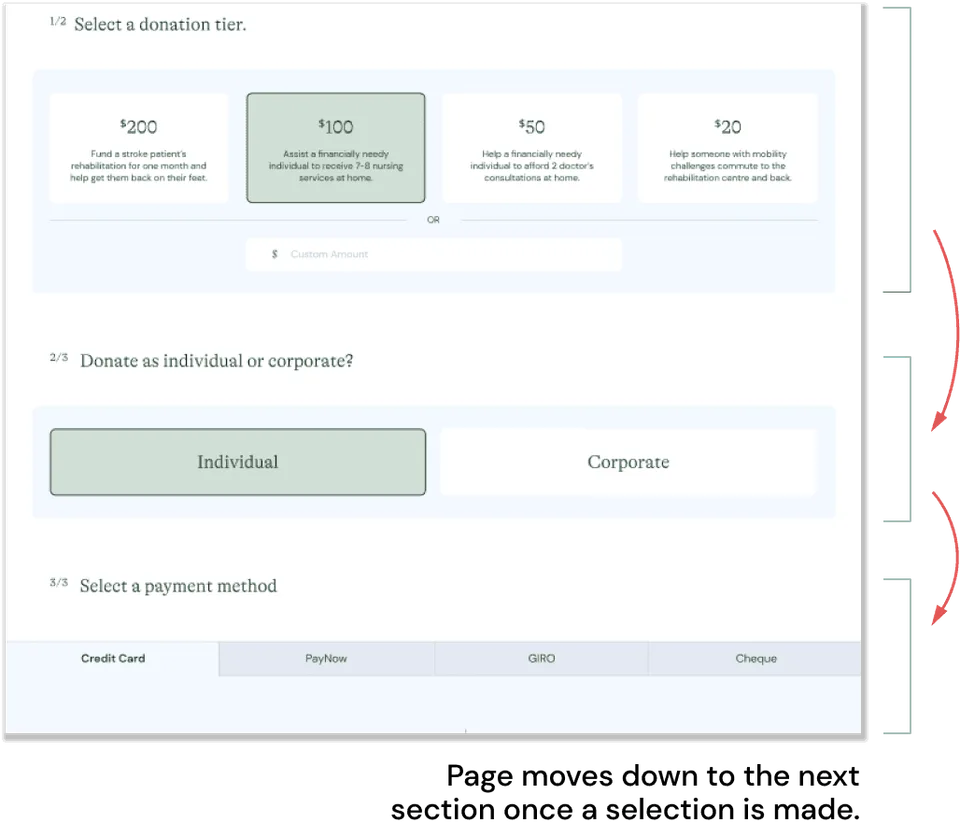
Hesitation
Recommendations: Design the page to move down to the next section, guiding the, through the steps, and making the process more seamless.
Recommendations: Design the page to move down to the next section, guiding the, through the steps, and making the process more seamless.
Users were able to complete making a donation faster with lesser hesitation between sections.
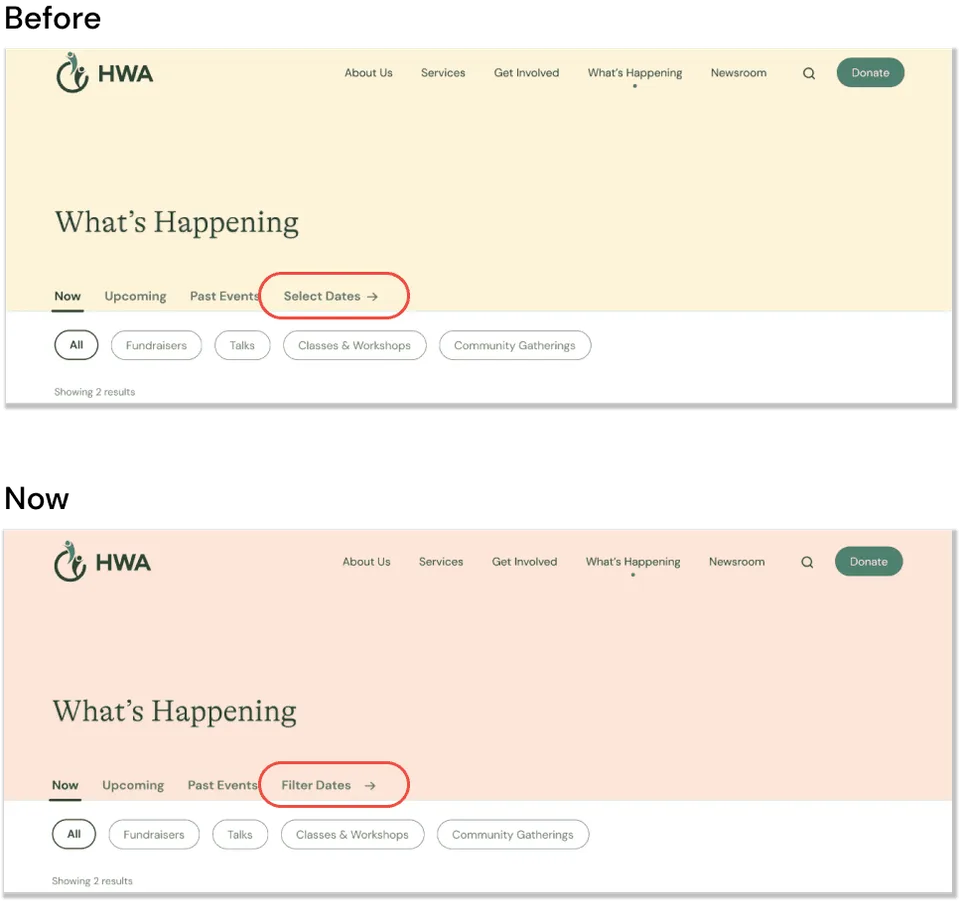
Ambiguity
The term “Select Dates” seemed ambiguous to some. Users take a while to find the function.
Recommendations: Change it to “Filter Dates” to make it more apparent this helps them to filter events by date.
**Users found the filter faster by about 4 seconds.
Handoff
Last but not least, we hand off to the Developer Team to create a working website. View more info by clicking on the button below:
GITHUB
Future Recommendation
1. Volunteer and Event participation
Streamline the system by designing a user-friendly interface that allows users to indicate their interest, share, and confirm their participation in activities. This will help create awareness and encourage sign-ups.
2. Optimize donation process
Simplifying the donation page and reducing cognitive load. We can achieve this by breaking down the steps into progressive pages and providing clear guidance for donors.
3. Fundraiser Progress
Keep track of the progress of fundraisers by creating a system that reflects the participation numbers of events and the money raised. This will help the organisation track progress and keep interested parties updated.
Disclaimer:
To comply with my non-disclosure agreement, I have omitted confidential information in this project. The information in this project is edited and may not necessarily reflect the current state of the project.